
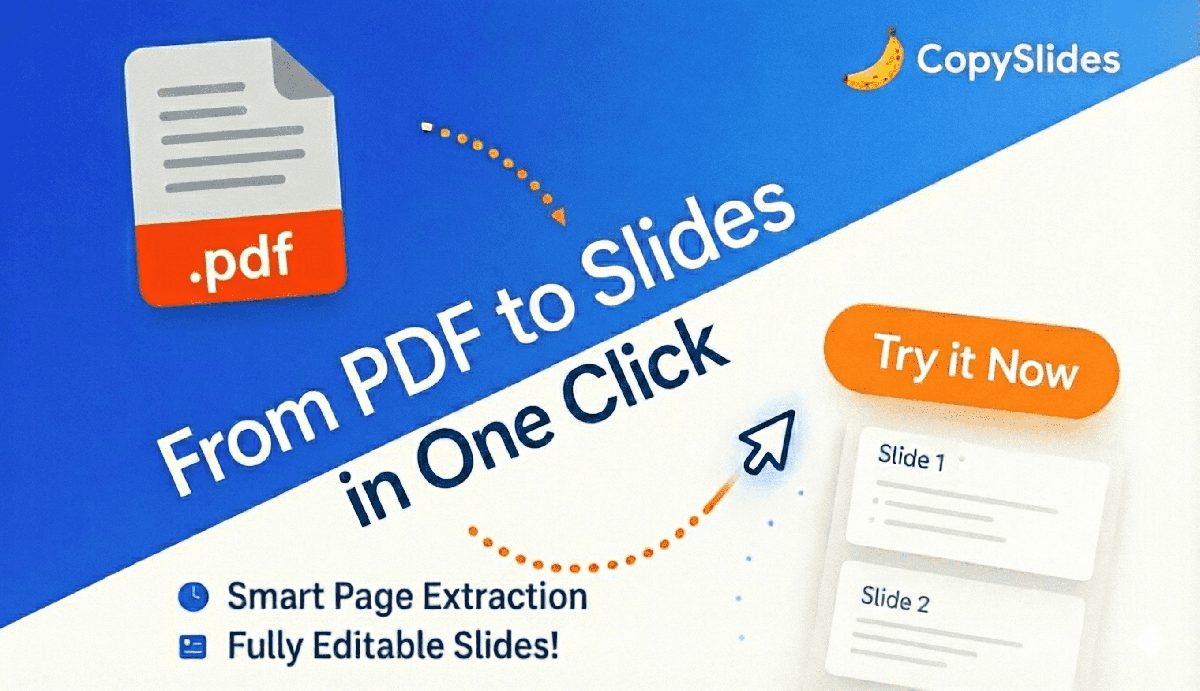
From PDF to Fully Editable Presentation
Most converters lose formatting. We preserve layout, styles, and make everything editable.
Layout Preserved
Columns, grids, and visual hierarchy are maintained exactly as in your PDF.Text Fully Editable
Every text element becomes an editable text box—no more image-based slides.Styles Maintained
Fonts, colors, and spacing are detected and applied to your new slides.Tables & Charts
Tables are reconstructed as editable PowerPoint tables when possible.
Convert PDF to Editable Slides in 3 Steps
The simplest way to turn PDF documents into presentations you can actually edit.
1. Upload Your PDF
Drag & drop your PDF file. We support multi-page documents up to 50 pages.
2. AI Extracts & Rebuilds
Our AI analyzes each page, extracts content, and rebuilds it as editable slide elements.
3. Export & Edit
Download as PPTX for PowerPoint, or open directly in Google Slides to start editing.
Why CopySlides for PDF to Slides?
Go beyond basic conversion—get slides you can actually work with.
Formatting-Aware Conversion
We don't just extract text. We understand and preserve your document's visual structure.
Multi-Page Support
Convert entire PDF documents at once—each page becomes an editable slide.
Smart Text Extraction
Text is extracted with proper hierarchy—headers, body text, and captions stay organized.
Table Reconstruction
Tables in your PDF are rebuilt as native PowerPoint tables when possible.
Image Handling
Images and graphics are extracted and positioned correctly in your slides.
Batch Processing
Need to convert multiple PDFs? Process them all at once with our batch feature.
Trusted by Teams Who Convert PDFs Daily
Hear from professionals who turn PDF documents into editable presentations.
Rachel M.
University Lecturer
“I convert academic papers and handouts into lecture slides. The PDF to slides layout preservation is excellent for education.”
Nina S.
Marketing Director
“We convert brand guidelines and one-pagers into editable decks for localization. PDF to PowerPoint made easy.”
Laura B.
L&D Manager
“We convert PDF manuals into training slides. The text is properly editable in PowerPoint, not flattened images.”
Emily W.
Proposal Manager
“Converting client PDF RFPs into presentation format helps us respond faster. The formatting preservation is impressive.”
Sarah T.
Technical Writer
“PDF documentation to slides conversion is now part of my workflow. The multi-page support is exactly what I needed.”
Amanda C.
HR Director
“We convert policy PDFs into training presentations. Being able to edit the text directly makes updates so much easier.”
Rachel M.
University Lecturer
“I convert academic papers and handouts into lecture slides. The PDF to slides layout preservation is excellent for education.”
Nina S.
Marketing Director
“We convert brand guidelines and one-pagers into editable decks for localization. PDF to PowerPoint made easy.”
James L.
Strategy Consultant
“Client PDF reports to internal presentations in minutes. Tables actually stay as editable tables, not images.”
David K.
Senior Researcher
“Converting research papers to presentation format used to take hours. Now PDF to slides takes minutes.”
Chris P.
Sales Director
“Quick conversion of PDF product sheets to sales presentations. Keeps our team moving fast with editable content.”
Michael R.
Financial Analyst
“I convert PDF financial reports to editable slides for board presentations. Numbers and charts stay intact.”
Jason H.
Product Marketing
“Converting competitor PDF whitepapers into internal slides for analysis. The editable output saves hours of work.”
Robert M.
Agency Owner
“PDF to Google Slides conversion lets my team collaborate on converted documents instantly. Great for remote work.”
James L.
Strategy Consultant
“Client PDF reports to internal presentations in minutes. Tables actually stay as editable tables, not images.”
David K.
Senior Researcher
“Converting research papers to presentation format used to take hours. Now PDF to slides takes minutes.”
Simple, Transparent Pricing
Start with free credits. Scale as you need.
Starter
For light use
- Up to 200 slides / month
- High-fidelity editable PPTX
- Remove NotebookLM watermarks
- Cancel anytime
Plus
For regular use
- Up to 600 slides / month
- Everything in Starter
- Email support
- Cancel anytime
Lifetime
Ends in 00:00:00
- Unlimited slides via Desktop App
- 10,000 slides via Web & Extension
- Licensed for up to 3 devices
- Founder-level support
- Every future update, free
PDF to PowerPoint & Google Slides FAQ
Common questions about converting PDFs to editable presentations.
What types of PDFs work best?
Digital PDFs with selectable text work best. Scanned PDFs are also supported but may have lower accuracy depending on scan quality.
How many pages can I convert at once?
You can convert PDFs up to 50 pages. Each page becomes one slide. For longer documents, split them before uploading.
Will formatting be preserved?
Yes! We preserve layout, fonts, colors, and spacing. Tables are reconstructed as editable tables when possible.
What about password-protected PDFs?
You'll need to remove the password before uploading. We cannot process encrypted PDFs directly.
Can I convert just specific pages?
Yes, you can select which pages to convert during the upload process. No need to convert the entire document.
What if a conversion fails?
Failed conversions don't charge credits. If our system can't process your PDF, your credits remain safe.
Convert PDF to Editable PowerPoint or Google Slides
Stop copying and pasting. Let AI rebuild your PDFs into presentations you can actually edit.